What your IP address actually tells a website
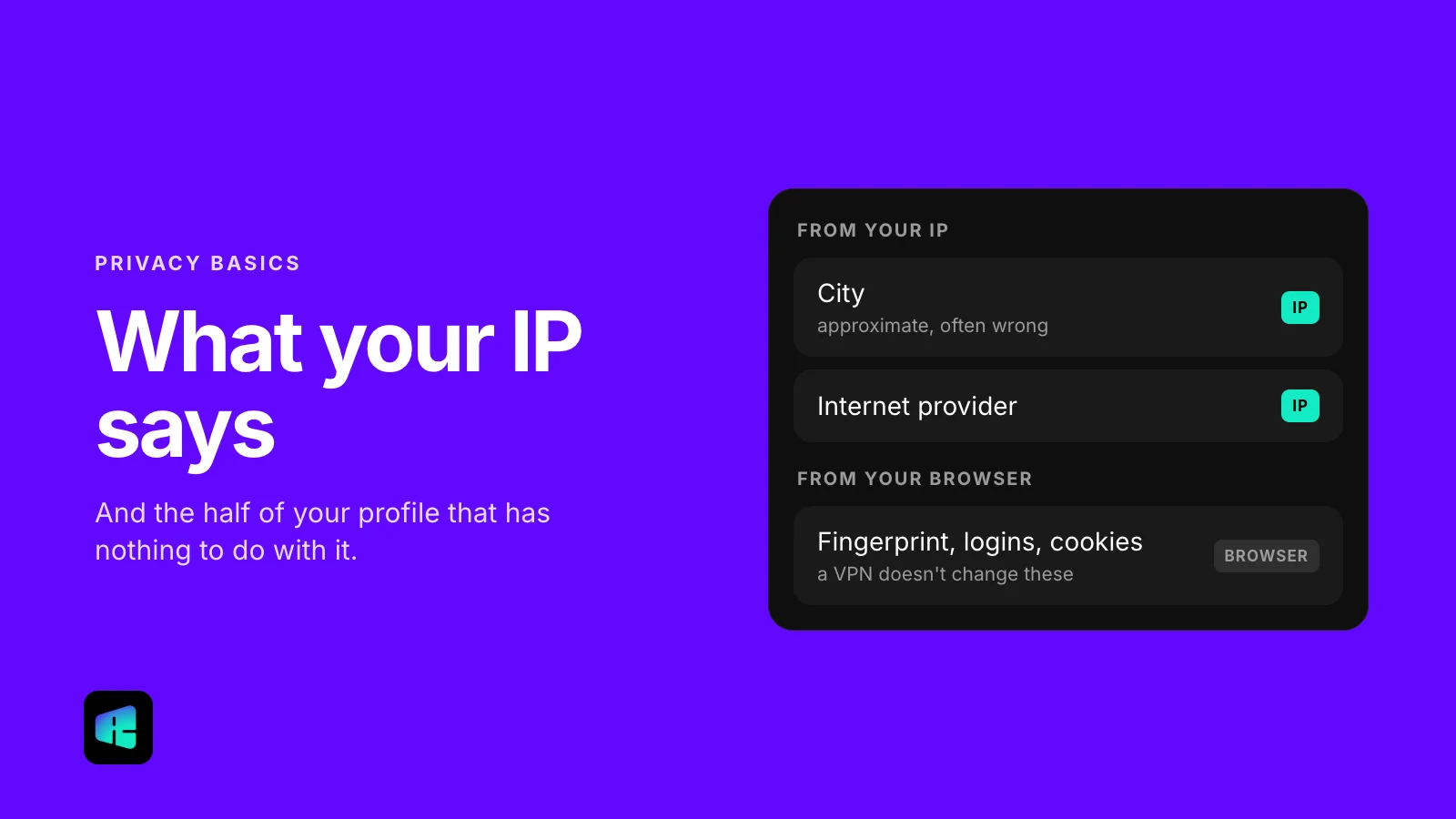
Any website you open already knows a handful of things about you. Some of it comes from your IP and some from your browser, and a VPN can do nothing about the browser half.

The short version
- Your IP gives away an approximate city, your internet provider, your time zone and your country.
- Your device fingerprint, logins and cookies come from the browser, and a VPN does not change them.
- A VPN changes the IP that websites see and hides the domains you visit from your network.
- It’s not an anonymity tool: it moves trust from your provider to the VPN operator.

You open a website. Before you click anything, accept a cookie banner or type a single character, it already knows a few things about you. Some of that comes from your IP address and some does not, and VPN ads rarely explain the difference.
What your IP address genuinely reveals
An IP address is a routing label. It exists so that the response to your request knows where to go back to. IP ranges are assigned to organizations in specific places, though, so the label alone is enough to infer three things.
1. Your approximate location
It doesn’t reveal your street or your building, whatever the “we found your exact address” ads suggest. In practice a commercial IP database resolves to a city or a metro area, and it is wrong often enough that you have probably seen a website greet you with the name of a town two hours away.
2. Your internet provider
Comcast, Verizon, Spectrum, the coffee shop’s business line. This is the most reliable of the three, because who owns which address range is public record. It also tells a site whether you’re on a home connection, a mobile network, a corporate network or a data center, and that’s usually where “are you a bot?” checks start.
3. Your time zone and country
Combined with your browser settings, this decides which currency you see and sometimes which price. The language a site shows you usually comes from your browser’s language setting, not from your IP. Charging different prices in different countries is ordinary and open practice: many software and subscription services publish separate price lists by region.
What is not your IP address
This part usually gets left out, and it’s why so many people are disappointed by their first VPN.
Your device fingerprint
Your operating system, browser and version, screen resolution, installed fonts, time-zone offset, how your graphics card renders things: a website reads all of this from the browser itself. Together it forms a fingerprint that is often unique enough to recognize you across visits, whatever IP you arrive from. A VPN does nothing about it.
Your login
If you’re signed in to Google, Google knows it’s you. Changing your IP while logged in to an account is like putting on a mask after you’ve already shown your ID.
Your cookies and local storage
Whether you have visited a site before, what you looked at, what is in your cart: all of this is stored in your browser, and none of it comes from your IP. Browser privacy settings, tracker blocking and separate browser profiles exist to deal with it.
So what does a VPN change?
A VPN changes exactly two things.
- Websites see a different IP. The VPN server’s address replaces yours, so the location and provider a site infers belong to the server.
- Your network stops seeing where you go. Your internet provider, or whoever runs the café Wi-Fi, sees an encrypted connection to a single address instead of a list of every domain you opened.
People tend to underestimate the second one. In 2017 Congress repealed FCC rules that would have required US internet providers to get your opt-in consent before using your browsing history for marketing. In 2021 an FTC staff report found that several of the largest US providers combine web browsing data with other personal data to target ads. A VPN addresses that specific problem directly.
A VPN is not an anonymity tool. It moves the trust: your provider no longer sees your traffic, but your VPN operator could. That’s why a no-logs policy matters more than a server count, and why a VPN ad promising “complete anonymity” is a good reason to close the tab.
What a VPN won’t protect you from
A VPN will not protect you from malware, from a phishing page you typed your password into, or from an app on your phone reporting your GPS position. It doesn’t make you untraceable to a law-enforcement request. If you need protection from a government, you need Tor and a very different article.
If your worries are the ordinary ones (your provider building a profile from your browsing, an airport network logging every domain you visit, a website setting your price by your city), a VPN is the tool that fits the problem.
Try it for yourself
Open any “what is my IP” page and look at what it reports. Then connect a VPN and reload it: the city and the provider change. Now open the same page in a fresh browser profile without the VPN, and notice that the fingerprint section still identifies your machine.
Both halves are true at the same time, and most VPN marketing only shows you the first one.
RealityVPN handles the first half, with apps for your phone and computer and an extension for Chrome. The free plan gives you 200 MB every month. See the plans. The price you sign up at is the price you renew at.