The scam texts you’ll get this year, and the one rule that beats all of them
Unpaid tolls, missed packages, “is this Jenny?” The scripts change every few months, and one habit protects you from every version.

The short version
- Scam texts follow a few repeating scripts: unpaid tolls, stuck packages, bank alerts, wrong numbers, job offers and requests for a login code.
- Never tap the link or call the number in the message; open the official app or type the address yourself.
- Never share a verification code you didn’t request with anyone.
- Forward scam texts to 7726, report them at ReportFraud.ftc.gov, and turn on unknown-sender filtering on your phone.
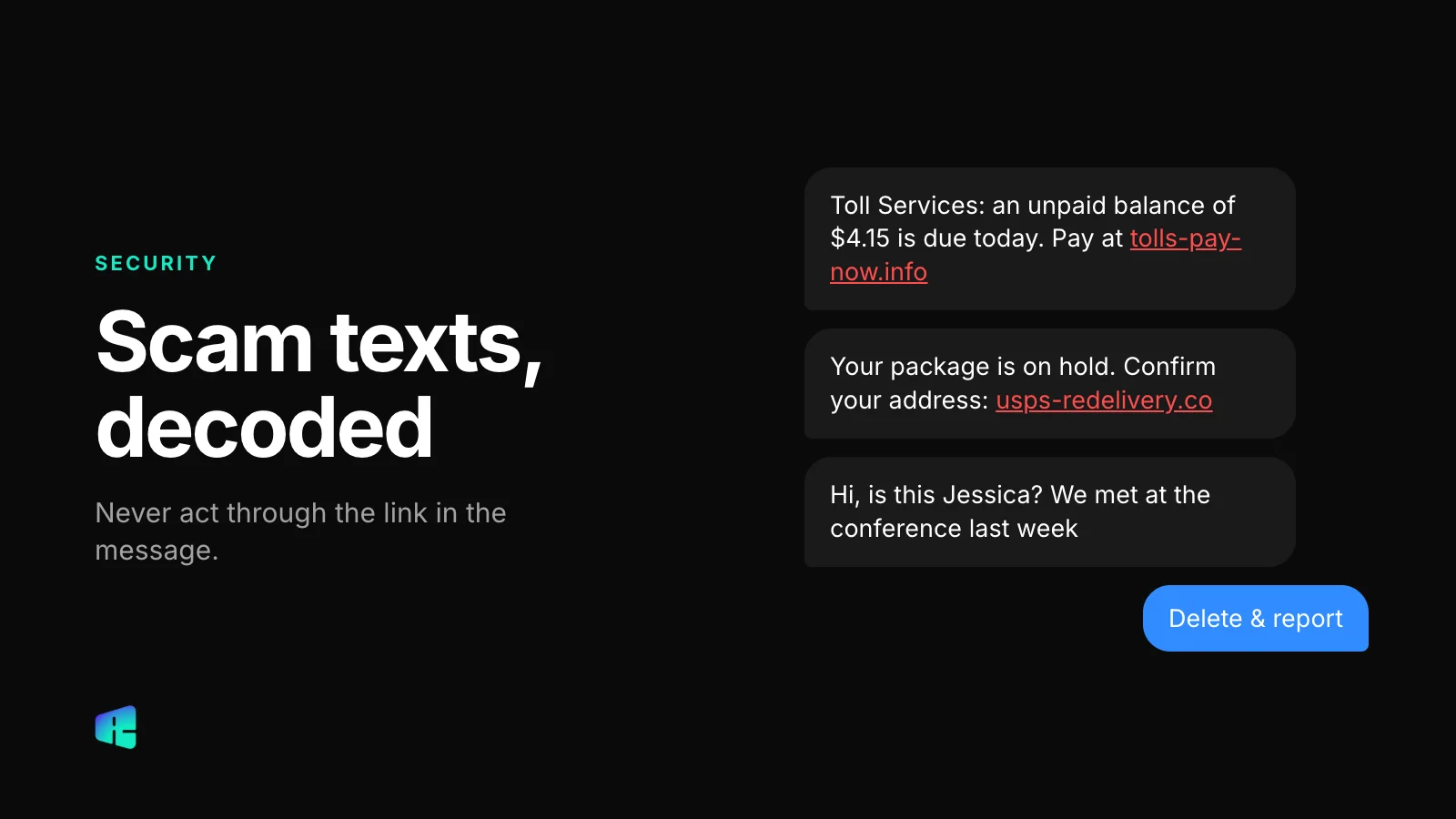
It arrives at 7:40 in the morning: “Final notice: you have an outstanding toll balance of $6.85. Pay by today to avoid a $50 late fee and suspension of your registration.” The link looks almost official. The amount is small enough that paying it feels easier than thinking about it.
The amount is small on purpose. The scammer doesn’t care about the $6.85. They want the card number, name and billing address you type into the payment page, and sometimes the one-time code your bank sends a minute later.
Why there are so many of these now
In testimony to Congress in March 2026, the FTC said consumers reported $15.9 billion in fraud losses in 2025, up from just over $12 billion the year before. Imposter scams, where someone pretends to be a business, an agency or a person you know, were again the most reported type of fraud.
Texts are cheap to send in bulk, and they land in the same app as the real messages from your bank and your delivery services. The FTC has also noted that reports of government imposter scams rose 40%, partly because of messages about overdue tolls.
The patterns you will actually see
The wording changes, but the same few scripts keep coming back. Once you know them by name, they’re much easier to spot.
Unpaid toll or parking fine
The text names a small balance, gives you until today to pay, and threatens late fees or a suspended registration. Some state toll agencies do send real texts, but they don’t threaten your registration over a few dollars, and you can always check your balance on the agency’s own website.
Package delivery problem
“USPS: your package is on hold due to an incomplete address.” The link to “fix” it asks for a small redelivery fee. USPS only texts you if you asked for tracking updates on a specific package, and the Postal Inspection Service says those texts never contain a link.
Bank fraud alert
“Did you attempt a $1,240 purchase at Best Buy? Reply YES or NO.” Reply NO and someone calls you from a number that looks like your bank’s, offering to “secure” your account. The caller asks you to read back a code or move money to a “safe” account. Your bank will never ask for either one.
Wrong number
“Hi, is this Jenny? It’s Mark from the dinner.” You politely reply that they have the wrong number. The sender apologizes, stays friendly and keeps chatting. Weeks later, the conversation turns to a crypto platform that has supposedly made them a lot of money. This scam takes weeks instead of minutes, and some of the largest individual losses come from it.
Job offers
The offer is remote work with flexible hours, paying $300 to $800 a day for “rating products” or “optimizing apps,” for a job you never applied for. Eventually you’re asked to deposit your own money to unlock new tasks or to withdraw your earnings.
Verification code requests
You get a login code you didn’t ask for, then a text or call: “Sorry, I sent my code to your number by mistake, can you forward it?” That code lets someone into your account, often your WhatsApp, Google or bank login. If you get a code you didn’t request, someone is trying to sign in as you. Don’t share it with anyone.
The one rule
Never act through the link or the phone number in the message. If it says your toll is unpaid, open the toll agency’s app or type its address yourself. If it says your bank flagged a purchase, open your bank’s app, or call the number on the back of your card. If it says a package is stuck, check the tracking in the retailer’s app.
With this rule you never have to decide whether the text is real. A real problem will also show up in the official app. If your account there looks fine, the text was fake, and you didn’t have to judge a URL or a sender ID, both of which can be faked.
Two smaller habits help. Don’t reply at all to a message you don’t recognize, not even with STOP, because any reply confirms that the number is active. And treat pressure as a warning sign: words like “today,” “final notice” and “within 24 hours” are there to keep you from checking.
It also helps to tell the people around you, especially older relatives. A short family rule such as “if a text asks for money or a code, call me or open the app first” is easy to remember. It also tells them it’s fine to wait before answering, so they don’t feel rude for not replying right away.
How to report a scam text
- Forward it to 7726 (the digits spell SPAM). The report goes to your carrier, and it works on AT&T, T-Mobile and Verizon. You may get a reply asking for the sender’s number.
- Report it to the FTC at ReportFraud.ftc.gov. These reports go into a database that law enforcement uses, and the FTC figures above come from them.
- Use the in-app report button. In Messages on iPhone and in Google Messages, you can report a conversation as junk or spam from inside the app.
If you already entered card details, call your bank using the number on your card and ask for a new card. If you shared a login code, change that account’s password from the official app and sign out other sessions.
Settings that cut the volume
iPhone
Go to Settings › Apps › Messages (on older iOS versions, Settings › Messages) and scroll to Unknown Senders. On iOS 26 the switch is called Screen Unknown Senders; on iOS 18 it was Filter Unknown Senders. Messages from numbers that aren’t in your contacts move to a separate Unknown Senders list, and in the US you can also turn off notifications for them. Time-sensitive messages such as login codes still notify you.
Android
In Google Messages, tap your profile picture, then Messages settings › Spam protection, and make sure spam protection is on. Samsung Messages has a similar option under Settings › Block numbers and spam. On phones from other makers the menus differ, but the setting is usually in the messaging app, not in the phone’s main settings.
Filters catch a lot of scam texts, but not all of them. For the rest, use the rule above: if a text wants you to tap a link, pay or share a code, close it and check in the app you already trust.