Free VPN vs paid: what the free ones charge you instead
Running a VPN costs money every month. If you aren’t paying for it, someone else is, and you should know who before you install it.

The short version
- A free VPN still costs money to run, so find out how it pays for itself before you install it.
- Avoid apps that pay for themselves with ads or by selling browsing data. A capped free plan from a company with paying subscribers is a fair deal.
- Before installing, check who runs it, what the privacy policy says about logs, which permissions it asks for, how it makes money and how big the data cap is.
- For a few nights on hotel Wi-Fi, a reputable free plan is usually enough.
Search any app store for “VPN” and the first screen is mostly free apps with millions of installs and ratings above four stars. Each of them pays every month for servers, bandwidth and developers. The money comes from somewhere, so before you install one, find out where.
What a VPN costs to run
A VPN sends all of your traffic through a server the provider rents or owns. Every page you load and every video you watch through it uses bandwidth the provider pays for. On top of that come support staff, app store fees, and the developers who fix the apps after each iOS and Android update. A VPN with a lot of users has a large monthly bill.
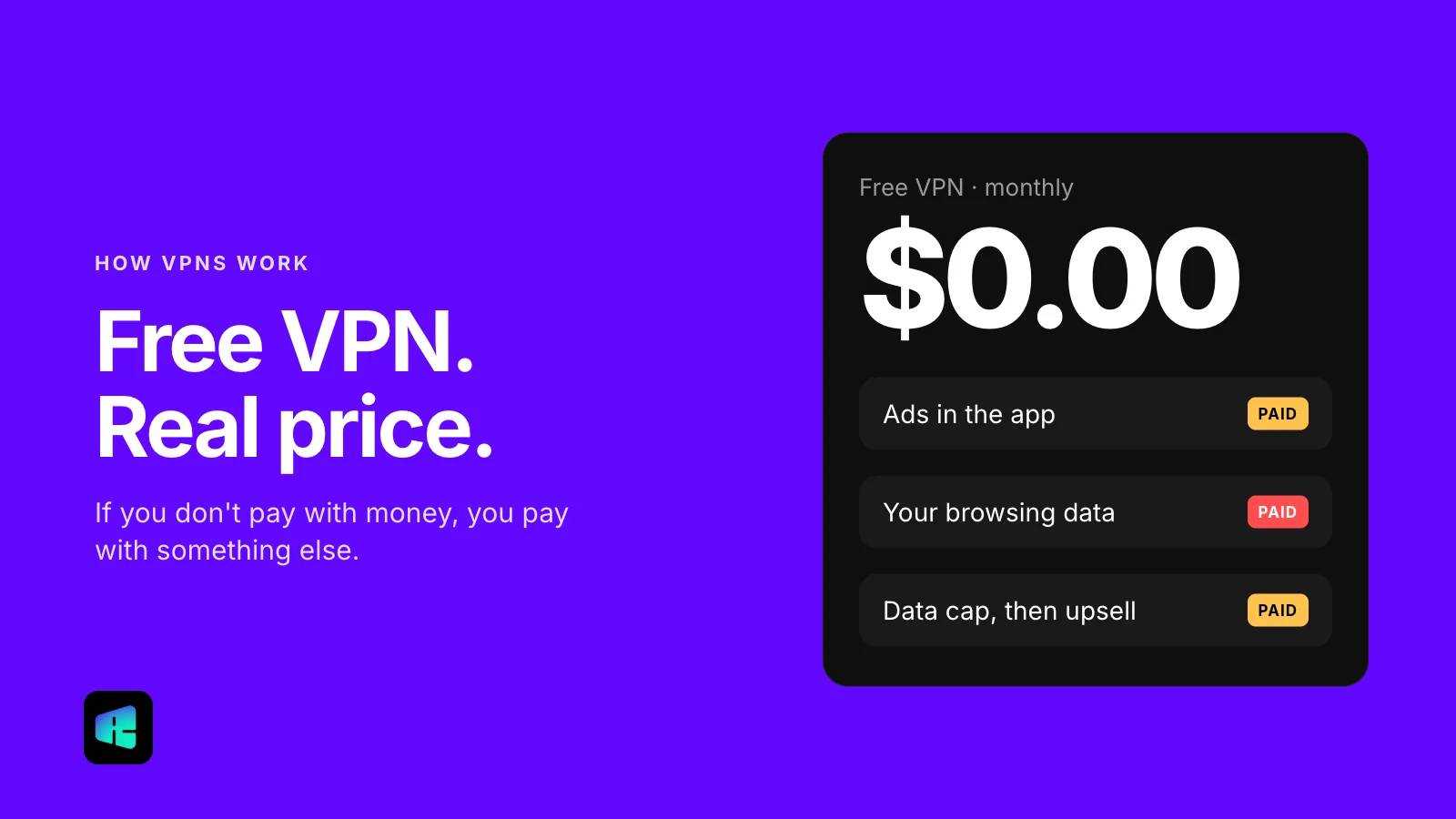
A free app pays that bill in one of a few ways. Some of them are perfectly reasonable. In others, the company earns its money by selling something about you, the person using the app.
How free VPNs pay their bills
Ads
This is the simplest model. The app shows banner or video ads, often a full-screen one each time you connect, which is annoying but easy to understand. The problem is that ad networks come with their own tracking code, so an app you installed for privacy may be reporting on you to advertisers.
Data about your browsing
A VPN sees every domain you connect to, which makes it an easy place to collect browsing data. Some free apps do exactly that, then sell or share the data as “anonymized” or “aggregated” analytics. The privacy policy usually admits this in vague language somewhere in the middle.
There is research on this. In 2016, researchers from Australia’s national science agency, CSIRO, and their partners examined 283 Android VPN apps. About two thirds of the free ones included third-party tracking libraries, and nearly one in five of all the apps sent traffic through tunnels with no encryption at all. The app stores have tightened their rules since then, but a free app still has the same reason to make money from its users this way.
A free tier with a cap
Many free VPNs exist to sell the paid version. You get a monthly data limit, a few locations or slower speeds, and the app suggests upgrading. If the limits are stated clearly, that’s a fair deal: you try the app and pay only if it turns out to be worth it.
Freemium from a paid company
The cleanest version is a free plan from a company whose real business is subscriptions. Paying customers fund the servers, and free users are a marketing cost. The free plan is limited on purpose, but the provider has little reason to make money from your data, because it already earns money from subscriptions.
The last two models are fine. Look harder at the first two before you trust an app with all of your traffic.
Five questions to ask before installing a free VPN
You can answer all of them in about ten minutes from the app store listing and the provider’s website.
- Who runs it? Find the developer name on the listing and look it up. A company with a website, a physical address and a support contact is a good sign. A developer with no website and a free email address for support is not.
- What does the privacy policy say about logging? Search the policy for “log,” “share,” “third parties” and “advertising.” You want a plain statement that browsing activity is not stored. If it says the app collects the sites you visit “to improve the service,” assume that’s exactly what it does. The “Data safety” section on Google Play and “App Privacy” on the App Store give a quick summary, though the developer fills them in.
- What permissions does it ask for on Android? A VPN needs network access and permission to set up a VPN connection. It has no reason to want your contacts, location, text messages or camera. You can check before installing under “About this app” in the Play Store listing, and afterwards in Settings > Apps > the app > Permissions.
- Where does it make money? Look for a paid plan on the website. If there’s no paid tier and no ads, and you still can’t tell how the company earns anything, assume it earns from your data.
- What is the data cap? A cap is fine if you know the number before you rely on it. Email, messaging and reading use very little data. Video uses much more: Netflix estimates up to 3 GB an hour for HD.
When free is genuinely enough
For a lot of people, a reputable free plan with a modest cap is enough. A few nights in a hotel, a layover, or a café where you want to check email and pay a bill all count as light use. When you’re reading, messaging and signing in to accounts instead of streaming, a few hundred megabytes last a long time.
Free plans stop being enough when you want the VPN on all the time, on several devices, or for video. The cap runs out mid-month, the ads get in the way, or the one free location is slow in the evening. At that point paying is usually less trouble.
Either way, a free plan from a company with paying customers is safer than a random free app with no business model you can find.
What paying actually buys you
A subscription alone doesn’t make a provider trustworthy, so ask the same five questions. What changes is the incentive: when users are the paying customers, the company earns its money by keeping them.
In practice you usually get no data cap, more locations, apps for your other devices and someone who answers when something breaks. Before you pay, compare the renewal price with the first-term price. Many VPNs advertise a discounted first year and charge noticeably more after it.
RealityVPN uses the last model above: subscribers pay for the service, and there is a free plan with 200 MB a month. A typical mobile web page is about 2 to 2.5 MB, so that covers email and a few dozen pages. Paid plans are on the pricing page.