Do you actually need a VPN? A checklist that sometimes says no
A VPN helps in a few specific situations and does nothing in many others. Go through the list and see which ones match how you actually use the internet.

The short version
- HTTPS already encrypts what you type on most websites, so many people don’t need a VPN at home.
- A VPN does not stop phishing, malware or tracking through logins and cookies.
- It’s worth having on Wi‑Fi you don’t control and if you don’t want your ISP seeing which sites you visit.
- Ad blocking and seeing other countries’ versions of sites depend on the specific VPN and the specific site.
Look at the address bar in your browser right now. You almost certainly see a padlock, or no warning at all, which means the page arrived over HTTPS. What you type on that page, including passwords and card numbers, is encrypted between your device and the site. In 2015 only about 30 to 45% of pages in Chrome loaded this way; by around 2020 it was 95 to 99%, according to Google.
So plenty of people don’t need a VPN for daily life. Below is a checklist of situations. If none of the “yes” items describe you, don’t spend money on one.
What a VPN won’t do for you
The limits come first, because they cover many of the reasons people sign up.
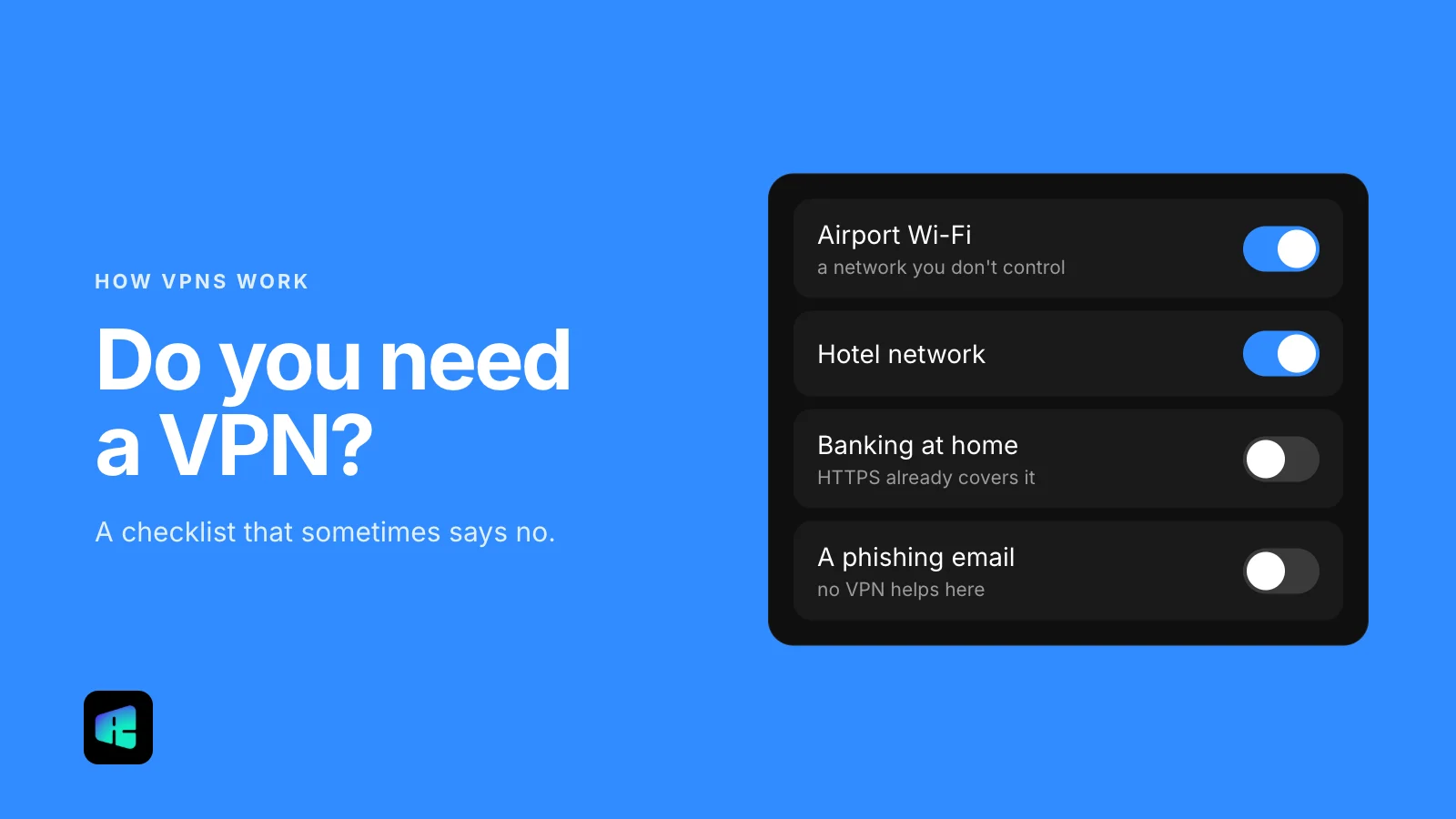
- Phishing. If you type your password into a fake login page, a VPN delivers it to the fake page over an encrypted connection. Checking the address and using a password manager help far more.
- Malware. A file you download and open runs the same way with or without a VPN. Keep your system updated and install apps from the official stores.
- Tracking through accounts. When you’re signed in to Google, Amazon or Facebook, they know it’s you whatever IP address you show up from. Cookies work the same way.
- Anonymity. The VPN provider can see your connection instead of your internet provider, so you’re trusting a different company, not removing the need to trust one.
If your main worry is one of these, a VPN won’t solve it. Turning on two-factor authentication in your accounts’ security settings does more for account safety than any network tool.
Yes: you use networks you don’t control
Someone else runs the Wi‑Fi in hotels, airports, cafés, conference centers and dorms, and you can’t check how. HTTPS still protects page content there, but the network can usually see which domains you visit, and some apps on your phone may handle data less carefully than a browser does.
A VPN puts every app on the device into one encrypted tunnel, so the local network sees a single connection to a VPN server. If you travel or work away from home a few times a week, this is the most common good reason to have one.
Yes: you don’t want your ISP seeing your browsing
Even with HTTPS, your internet provider can usually see which domains you connect to, through DNS lookups and the server name your browser announces when it opens a secure connection. That server name stays hidden only if the site and your browser use Encrypted Client Hello (ECH), which Chrome and Firefox support and Cloudflare turns on for many sites. It can’t see which pages you open on a site, but a list of domains alone reveals a lot about you.
In the US this matters more than in many countries. In 2017 Congress used the Congressional Review Act to overturn the FCC’s broadband privacy rules before they took effect, so providers were not required to get your opt-in before using or sharing browsing data. With a VPN on, your ISP sees traffic to one VPN server. The VPN provider then has that view instead, so read its logging policy.
A free partial step is encrypted DNS in your browser. In Chrome, go to Settings → Privacy and security → Security and, under Advanced, set Use secure DNS to a provider. This hides DNS lookups from your internet provider, though not every trace of the domain.
Maybe: you want fewer ads and trackers
This one depends on the specific VPN. Some block known ad and tracker domains at the DNS level, which works inside apps as well as the browser and can make pages load less data. Others do no blocking at all, and a VPN that only changes your IP address does nothing for tracking, so check the feature list before counting this as a reason.
If blocking in the browser is enough for you, a free content-blocking extension does the job.
Maybe: you want another country’s version of a site
Sites decide what to show partly by where your IP address appears to be. Prices, search results, news front pages and app catalogs can differ by country. A VPN server abroad lets you see that version, for example when planning a trip or checking how your own business looks from another country.
Many streaming services detect and block VPN addresses, so don’t buy a VPN expecting a particular catalog to work.
A quick way to decide
- You mostly stay on home Wi‑Fi, don’t mind your ISP seeing domains, and use an ad blocker in the browser: you probably don’t need one.
- You regularly connect to Wi‑Fi you don’t run: a VPN is worth having.
- You’d rather your ISP didn’t keep a list of the sites you visit: a VPN, or at least encrypted DNS.
- Your worry is scams, viruses or being tracked through your accounts: spend the time on 2FA, updates and a password manager first.
If at least one “yes” item fits you, many providers, RealityVPN included, have a free plan or a refund period, so you can try one for a week and see whether you notice the difference.